Get Support Via Text Message

JJMicro now offers a better way to text with our technicians for quicker responses, streamlined communication, and additional forms of ticket creation.

If you have a quick question or would like to create a support ticket with JJMicro, please use this new SMS number: (636) 500-2903

Step 1: Contact Creation

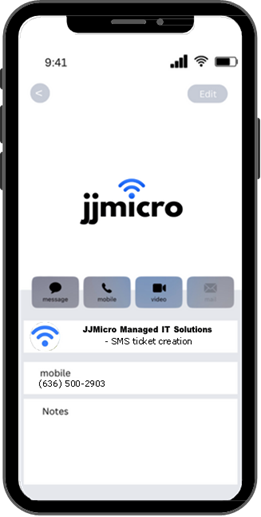
savecontact
Add JJMicro Managed IT Solutions as a contact on your phone. E.g. “JJMicro Text Number” or “JJMicro SMS”.

Step 2: Texting Request

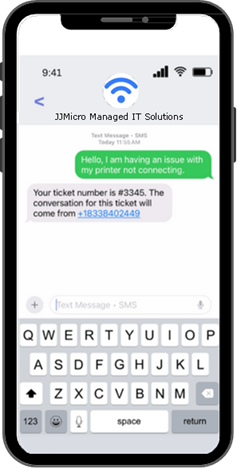
Text any support requests to this number in order to open a ticket and begin the correspondence with your technician.
sendtext

You’ll receive an automatic reply opening up a ticket channel which will include the ticket number.

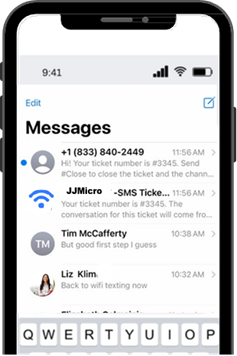
Note: The Ticket channel will come from a temporary number designated to that ticket/conversation.

Note: This will not come from the saved number on your phone as it is unique to that ticket/conversation.

messagelist

Step 3: Technician Communication

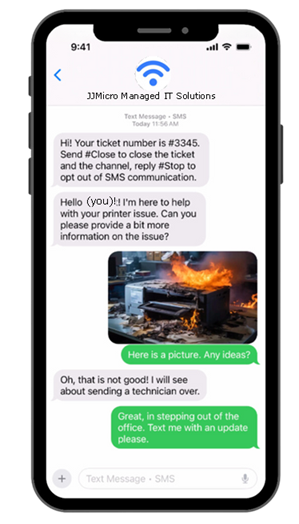
Your technician will now be able to assist you through the newly created SMS channel.
smsreply
Note: Once the ticket is resolved, the temporary number will no longer be active and the conversation will be closed.
To open a new ticket in the future, simply text the designated number (saved contact) and you will receive a new conversation channel for that issue (repeat Step 1).
We’re here to assist you! Our new dedicated SMS text message number will enable us to meet your needs more effectively, ensuring you receive exceptional technical support.